

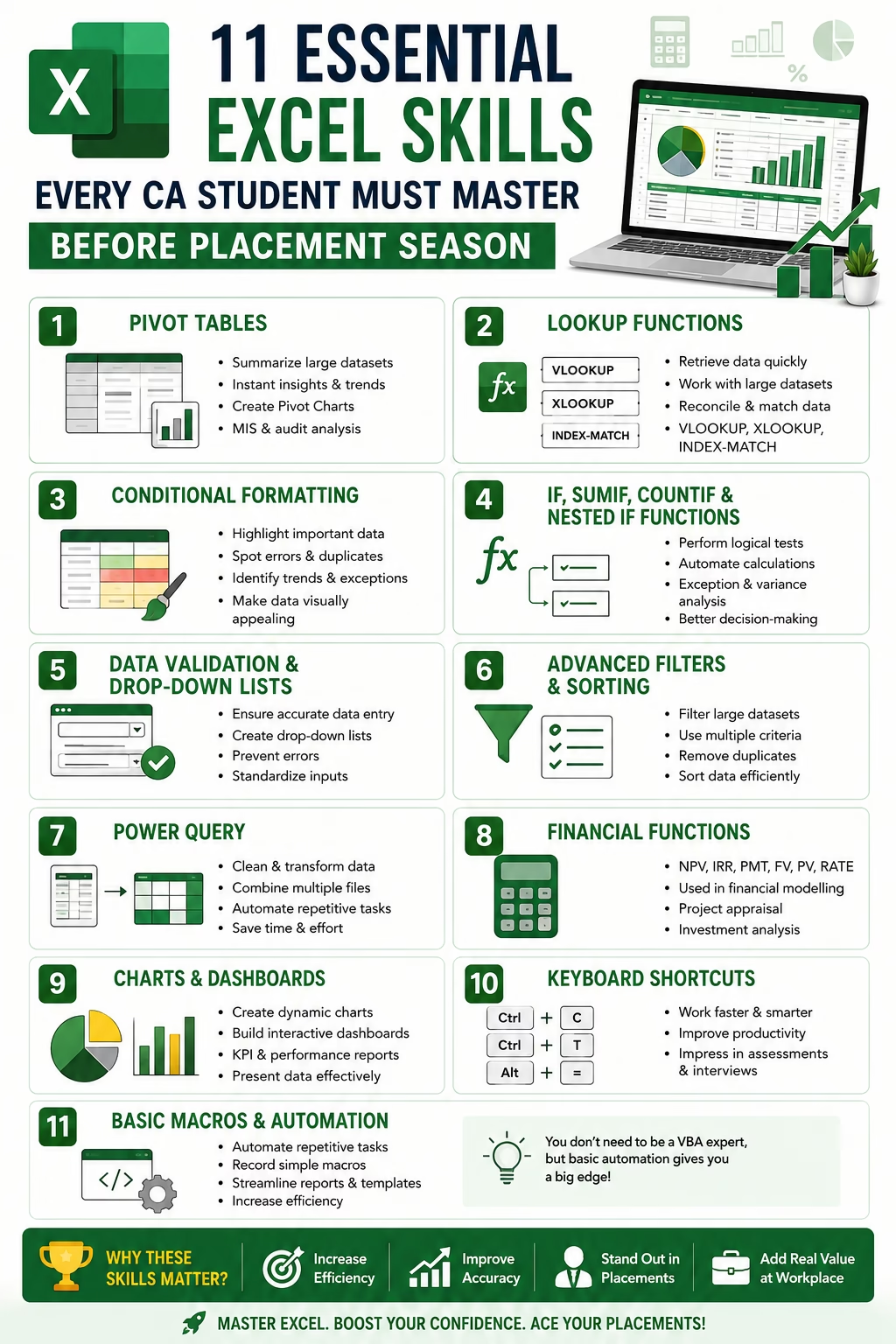
Essential Excel Skills Every CA Student Must Master Before Placement Season
For Chartered Accountancy students, technical knowledge alone is no longer enough to secure top placements. Whether you are targeting Big 4 firms, consulting companies, Global Capability Centres (GCCs), or corporate finance roles, one skill consistently appears in every job description—Microsoft Excel.
Recruiters today expect CA students to be comfortable with Excel because it is extensively used in audit, taxation, financial reporting, MIS reporting, budgeting, and financial analysis.
In fact, many companies conduct separate Excel assessments during campus placements and interviews.
If placement season is approaching, now is the perfect time to strengthen your Excel skills.
Here are the 11 essential Excel skills every CA student must master before placement season.
Essential Excel Skills Every CA Student Must Master :
1. Pivot Tables – The Ultimate Data Analysis Tool
Essential Excel Skills Every CA Student :
If there is one Excel feature every CA student must know, it is Pivot Tables.
Pivot Tables help you summarize and analyze thousands of rows of data within seconds.
Common uses:
- Analyzing sales data.
- Preparing MIS reports.
- Summarizing expenses.
- Identifying trends and variances.
- Audit data analysis.
Recruiters frequently ask candidates about Pivot Tables because they significantly improve efficiency.
Pro Tip: Learn how to create Pivot Charts along with Pivot Tables.
2. Lookup Functions (VLOOKUP, XLOOKUP, INDEX-MATCH)
Essential Excel Skills Every CA Student :
Lookup functions are among the most tested Excel skills during interviews.
These functions help retrieve information from large datasets quickly.
Important functions:
- VLOOKUP
- HLOOKUP
- XLOOKUP
- INDEX-MATCH
Practical examples:
- Matching GST numbers.
- Reconciling customer balances.
- Mapping ledger data.
- Linking master files.
Although VLOOKUP remains widely used, XLOOKUP is increasingly becoming the industry standard.
3. Conditional Formatting
Essential Excel Skills Every CA Student :
Conditional Formatting allows users to highlight important information automatically.
Examples include:
- Highlighting overdue receivables.
- Identifying negative balances.
- Detecting duplicate entries.
- Flagging unusual transactions.
Auditors and finance professionals use this feature extensively during data reviews.
Learning advanced Conditional Formatting can make your reports visually appealing and easier to analyze.
4. IF, SUMIF, COUNTIF and Nested IF Functions
Essential Excel Skills Every CA Student :
Logical functions are fundamental for finance professionals.
Important formulas include:
- IF
- IFS
- SUMIF
- SUMIFS
- COUNTIF
- COUNTIFS
Applications:
- Categorizing expenses.
- Determining tax applicability.
- Creating automated reports.
- Performing exception analysis.
Interviewers often test these formulas during practical assessments.
5. Data Validation and Drop-Down Lists
Essential Excel Skills Every CA Student :
Accuracy is crucial in finance and accounting.
Data Validation helps reduce manual errors by restricting user inputs.
Examples:
- Creating drop-down menus.
- Restricting date entries.
- Preventing incorrect data input.
- Standardizing reporting formats.
Professionals frequently use this feature while preparing templates and working papers.
6. Advanced Filters and Sorting
Essential Excel Skills Every CA Student :
CA students regularly work with large datasets during articleship and employment.
Knowing how to:
- Apply multiple filters.
- Use advanced filters.
- Remove duplicates.
- Sort data based on multiple criteria.
can save significant time.
For example, auditors often filter transactions above materiality thresholds or identify related-party transactions.
7. Power Query – The Future of Data Cleaning
Essential Excel Skills Every CA Student :
Power Query has become one of the hottest skills in finance.
It automates repetitive tasks such as:
- Cleaning raw data.
- Combining multiple files.
- Removing duplicates.
- Transforming datasets.
- Automating reports.
Many organizations now prefer candidates who possess Power Query knowledge because it reduces manual effort considerably.
Learning Power Query can give CA students a strong competitive advantage during placements.
8. Financial Functions
Essential Excel Skills Every CA Student :
CA students aspiring for finance, valuation, or consulting roles must understand financial formulas.
Important functions include:
- NPV
- IRR
- PMT
- FV
- PV
- RATE
These functions are widely used in:
- Financial modelling.
- Project appraisal.
- Capital budgeting.
- Investment analysis.
Candidates targeting corporate finance roles should prioritize these skills.
9. Charts and Dashboard Creation
Essential Excel Skills Every CA Student :
Modern finance professionals are expected to present data visually.
Recruiters appreciate candidates who can create:
- Dynamic charts.
- Interactive dashboards.
- KPI reports.
- Management presentations.
Popular charts include:
- Column charts.
- Line charts.
- Waterfall charts.
- Combo charts.
Basic dashboard-building skills can significantly strengthen your profile.
10. Keyboard Shortcuts for Speed
Essential Excel Skills Every CA Student :
Speed matters.
Recruiters often notice how efficiently candidates work during practical tests.
Some important shortcuts include:
- Ctrl + Shift + L → Apply Filters.
- Alt + = → AutoSum.
- Ctrl + Arrow Keys → Navigate quickly.
- F4 → Repeat action or lock references.
- Ctrl + T → Convert range into table.
- Alt + E + S + V → Paste Values.
Mastering shortcuts can drastically improve productivity.
11. Basic Macros and Automation
Essential Excel Skills Every CA Student :
You do not need to become a VBA expert as a CA student.
However, understanding basic macro recording can help automate repetitive tasks.
Examples:
- Formatting reports automatically.
- Preparing recurring MIS reports.
- Standardizing working papers.
Automation skills are increasingly valued by employers across industries.
Why Recruiters Value Excel Skills in CA Placements
Essential Excel Skills Every CA Student :
During placements, recruiters are looking for candidates who can contribute from Day One.
Strong Excel skills indicate that you:
- Can analyze large volumes of financial data.
- Work efficiently under deadlines.
- Automate repetitive tasks.
- Prepare professional reports.
- Adapt quickly to workplace requirements.
In many organizations, Excel proficiency is considered as important as technical accounting knowledge.
How CA Students Can Learn Excel Effectively
Essential Excel Skills Every CA Student :
Follow this simple roadmap:
Week 1
- Basic formulas.
- Formatting.
- Keyboard shortcuts.
Week 2
- Lookup functions.
- Pivot Tables.
- Conditional Formatting.
Week 3
- Dashboards.
- Financial functions.
- Advanced Filters.
Week 4
- Power Query.
- Basic Macros.
- Practical case studies.
Practice with real-world financial datasets to gain confidence.
Final Thoughts
Essential Excel Skills Every CA Student :
The placement landscape for CA students is evolving rapidly. Companies no longer hire solely based on academic performance—they seek candidates who possess practical and technology-driven skills.
Mastering Excel before placement season can significantly improve your employability and increase your chances of securing offers from top firms.
Remember, Excel is not just software; it is a career accelerator for every aspiring Chartered Accountant.
Start learning today because the sooner you master Excel, the stronger your placement prospects will become.
Frequently Asked Questions (FAQs)
Q1. Is Advanced Excel mandatory for CA placements?
Yes, Advanced Excel is highly recommended and often expected by recruiters.
Q2. Which Excel skill is most important for CA students?
Pivot Tables, Lookup Functions, and Power Query are among the most valuable skills.
Q3. Do Big 4 firms test Excel skills during placements?
Yes. Many Big 4 firms include Excel-based assessments during recruitment.
Q4. Should CA students learn Power BI along with Excel?
Absolutely. Combining Excel with Power BI can significantly enhance your profile and improve placement opportunities.
🔗 Join 10,000+ CA Students using our Test Series to study smarter and create your own academic brand. Structured tests with detailed feedback.
Useful Resources