
Ultimate Apps Every CA Student Must Use
The CA journey is long, mentally draining, deeply technical, and demands extreme consistency. Whether you’re preparing for CA Foundation, Inter, or CA Final, your efficiency depends on how well you plan, take notes, revise, track progress, and avoid distractions.
In 2025, CA toppers across India are shifting heavily toward digital planning + smart apps to optimise study efficiency. After analysing student reviews, toppers’ strategies, and actual usage patterns, here is the definitive, in-depth guide to the Ultimate Apps Every CA Student Must Use
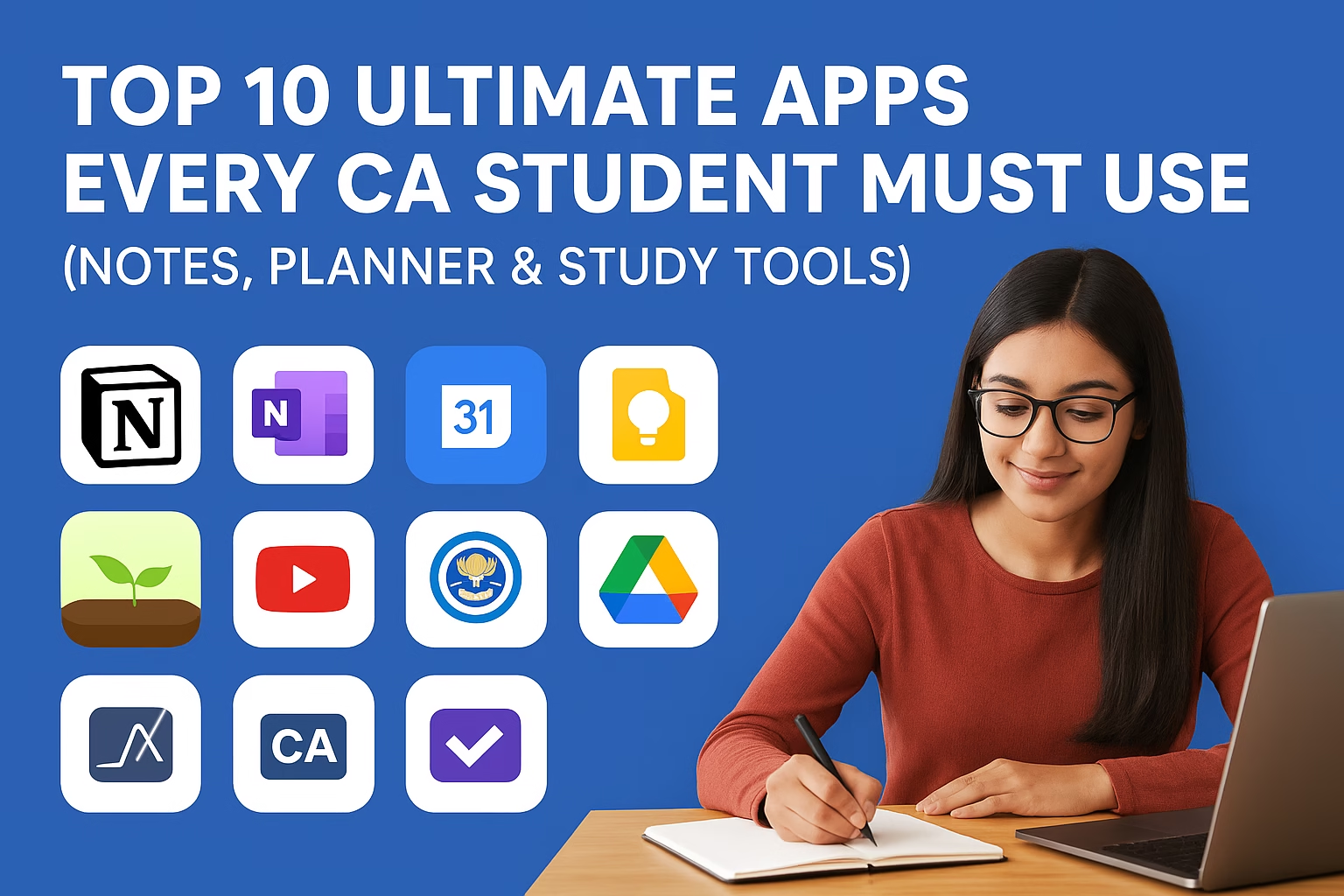
Top 10 Ultimate Apps Every CA Student Must Use :
1. Notion – The Ultimate All-in-One CA Study System
Notion is the most powerful tool for CA students because it replaces multiple apps:
Why Notion is perfect for CA students
- Create dashboards for each subject (FR, AFM, Audit, DT, IDT, IBS).
- Add chapter-wise progress trackers (Completed / Pending / Revision 1 / Revision 2 / Revision 3).
- Store ICAI PDFs, notes, RTP/MTP links, and corrections in one place.
- Track mock tests, daily hours, Pomodoro sessions, and performance.
- Use ready-made templates for revision cycles.
Best ways CA students use Notion (real examples)
- A CA Final Dashboard with 6 subject boards + daily tasks.
- A Revision Calendar with 1st, 2nd, and 3rd revision timelines.
- A Formula & Standard Library for AFM, Audit (SAs), and FR adjustments.
- A Mistake Tracker to avoid repeating wrong concepts.
Toppers recommend it because:
All your study resources stay in ONE organised system. No more lost notes or confusion.
2. Microsoft OneNote — The King of Digital Notes (Especially for Audit & Law)
If you write a lot of theory, OneNote is unbeatable.
Why OneNote is incredible for CA preparation
- You can write using stylus or keyboard.
- Organise notes as subject → chapter → subtopic.
- Add screenshots of teachers’ PDFs and annotate directly.
- Search function helps you instantly find any theory point.
- Pages become super clean compared to physical notebooks.
Where CA students benefit the most
- Audit → Standards on Auditing (SAs) summaries.
- Law → Section-wise crisp notes.
- DT → Provisions + exceptions + adjustments handwritten in one place.
- FR → Solve questions, capture tricky adjustments, and annotate RTP/MTP questions.
Why toppers prefer it:
All handwritten notes remain backed up, searchable, and accessible anywhere and one of the Ultimate Apps Every CA Student Must Use.
3. Google Calendar — The Most Reliable Study Planner You Will Ever Use
Google Calendar ensures you stick to your timetable.
Features that help CA students
- Block fixed study hours: Morning Session, Evening Session, Night Session.
- Plan weekly targets for each subject.
- Set reminders for mock tests, amendment updates, RTP releases.
- Get a monthly bird’s-eye view of your entire CA preparation.
Best usage pattern
- Morning block: Practical subjects (FR/AFM)
- Evening block: Tax + IDT
- Night block: Audit/Law
Why it works:
Once you see your study plan visually, consistency automatically improves.
4. Anki — The Most Powerful Memory Technique App (SRS)
Anki uses Spaced Repetition System (SRS) — a scientifically proven method to increase memory retention when it comes to Ultimate Apps Every CA Student Must Use.
Perfect for:
- Audit SAs
- Law Sections
- DT Sections + Penalties
- FR Concepts
- AFM Formulas
- Important Amendments
- Keywords for theory subjects
How toppers use Anki
- Create 20–30 flashcards per chapter.
- Revise cards daily → Anki automatically shows cards you’re about to forget.
- It’s excellent for last-week revision, when remembering everything feels impossible.
Result:
You remember theory automatically, without spending hours re-reading and thats why it is one of the Ultimate Apps Every CA Student Must Use
5. Google Keep — The Fastest App for Quick Notes & Revision Snippets
Google Keep is perfect for small, instant notes and also the Ultimate Apps Every CA Student Must Use
Why CA students use Keep daily
- Make short summaries after finishing a chapter.
- Save MCQ mistakes so you don’t repeat them.
- Tag notes as “FR”, “Audit”, “Important”, “Exam Day Revision”.
- Add voice-to-text quick notes during lectures.
- Use color codes for urgent and high-weightage topics.
Best use cases
- “Last-minute revision notes” for tricky adjustments.
- Bookmark important ICAI module questions.
- Maintain lists of “Frequent mistakes”.
6. Forest App — Best App for Deep Focus (Avoid Distractions)
Distractions are the biggest enemy for CA aspirants. Forest helps you study without touching your phone and this is why its the Ultimate Apps Every CA Student Must Use
How it works
- Plant a virtual tree → it grows only if you don’t use your phone.
- If you exit the app, the tree dies.
- Track daily, weekly, and monthly productivity.
Why CA students love it
- Helps maintain 45–90 minute deep-focus sessions.
- Reduces social media scrolling.
- Gamifies studying → makes consistency easier.
Best hack
Use Forest + Pomodoro (45 min study, 10 min break).
7. YouTube & YouTube Premium — The Most Useful Free Learning Platform
YouTube is a treasure for CA aspirants and also one of the Ultimate Apps Every CA Student Must Use
What you get for free
- Full lectures
- Chapter-wise problem solving
- RTP/MTP discussions
- Revision marathons
- Study techniques
- Doubt-solving
Top recommended teachers (subject-wise)
✔ FR: CA Parag Gupta, CA Sarthak Jain
✔ AFM: CA Sankalp Kanstiya, CA Nagendra Sah
✔ Audit: CA Pankaj Garg
✔ DT: CA Rajkumar, CA Bhanwar Borana
✔ IDT: CA Vishal Bhattad
✔ Law: CA Amit Popli
Why YouTube Premium is useful
- Removes ads
- Play videos in background
- Download offline
- Perfect for 2x speed watching
Best strategy
Use YouTube for quick revision, not full primary preparation.
8. ICAI BOS App — The Most Important App on This List
This app gives you official ICAI resources, which are the backbone of CA exams.
What the BOS App provides
- ICAI Modules (PDFs)
- RTP, MTP, and Suggested Answers
- Announcements & amendments
- Self-paced online modules
- BOS recorded lectures
- Exam notifications
Why it is non-negotiable
Every exam comes from ICAI material — even when students use coaching notes.
This app keeps you aligned with ICAI’s expectations and question patterns.
9. Google Drive — The Best Storage System for CA Materials
Google Drive keeps all your study resources safe and organised.
Perfect for storing
- Handwritten notes scanned through Adobe Scan
- PDF modules
- Past year papers
- Practice questions
- Mock test solutions
- Coaching notes
Why toppers depend on Drive
- Never lose notes
- Access from any device
- Share instantly with study groups
- Make chapter-wise folders for quick revision
Pro Tip:
Make separate folders for:
- FR → Ind AS → Questions → RTP/MTP
- DT → Amendments → Important Cases
- Audit → SAs → Important Questions
10. CA Test Series / Unacademy / Edu91 MCQ Apps — The Exam Practice Boosters
These apps help you practice using CA-specific question banks.
Best features
- Topic-wise MCQs
- Chapter tests
- Past year question banks
- Mock exams (timed)
- Performance graphs
- Solutions with explanations
Why these apps matter so much
- CA exams are shifting to application-based and analytical questions.
- Practising MCQs and chapter tests increases exam confidence.
- Helps you identify weak chapters early.
Bonus Apps Every CA Student Should Use
11. Grammarly — For Writing Audit & Case Study Answers
Helps correct grammar, tone, and clarity — useful for:
- Audit answers
- Case study papers (IBS)
- Email writing for articleship
12. ChatGPT — Your Instant Doubt Solver & Study Planner
Use it for:
- Explaining tough concepts
- Making quick summaries
- Drafting revision plans
- Solving MCQs
- Creating notes
A must-have productivity tool.
13. Adobe Scan / Dropbox Scanner — For Scanning Notes Professionally
Very useful during:
- Revision
- Mock test evaluation
- Sharing handwritten solutions
14. Telegram — For PDF Updates & Community Discussions
Find:
- Summary notes
- Coaching PDFs
- Question banks
- Doubt groups
Final Words: Why These Apps Matter
The CA journey is overwhelming — 6–7 subjects, amendments, endless practice, long days and nights.
But the right system makes everything manageable.
These Ultimate Apps Every CA Student Must Use because these apps help you:
✔ Stay consistent
✔ Retain more in less time
✔ Avoid burnout
✔ Organise your entire preparation
✔ Study smarter, not harder
✔ Track performance
✔ Save months of effort
If you use even 6 out of 10 apps from this list, your CA preparation will become organised, stress-free, and far more effective.
🔗 Join 10,000+ CA Students using our Test Series to study smarter and create your own academic brand. Structured tests with detailed feedback.